CiCi Cam · Windows / macOS
AI virtual camerafor calls and streams
Enhance your webcam with AI beauty filters, lighting, and backgrounds. Use CiCi Cam as a virtual camera in compatible apps such as OBS, Zoom, Teams, and Google Meet.
Adjust smoothing and facial details to suit your look.
How the CiCi Cam virtual camera works
CiCi Cam is virtual webcam software that processes your camera image locally. Prepare your look once, then select the CiCi Cam feed in each compatible video app.
Choose your webcam
Open CiCi Cam and select your built-in or USB webcam.
Adjust your look in CiCi Cam
Set beauty filters, lighting, and backgrounds, then keep CiCi Cam running.
Select CiCi Cam in your video app
Choose CiCi Cam in the camera settings of OBS, Zoom, Teams, or Google Meet. Allow camera access and restart the app if needed.
Core Engines
Core Technology defines your beauty
CiCi Cam layers multimodal AI—from beauty to lighting to connectivity—to deliver premium video for streams and remote collaboration.
AI Beautify Engine 2.0
Detects facial details in milliseconds and applies natural smoothing, face shaping, and eye enhancements with preset live-stream styles.
Pro-Grade Light Adaptation
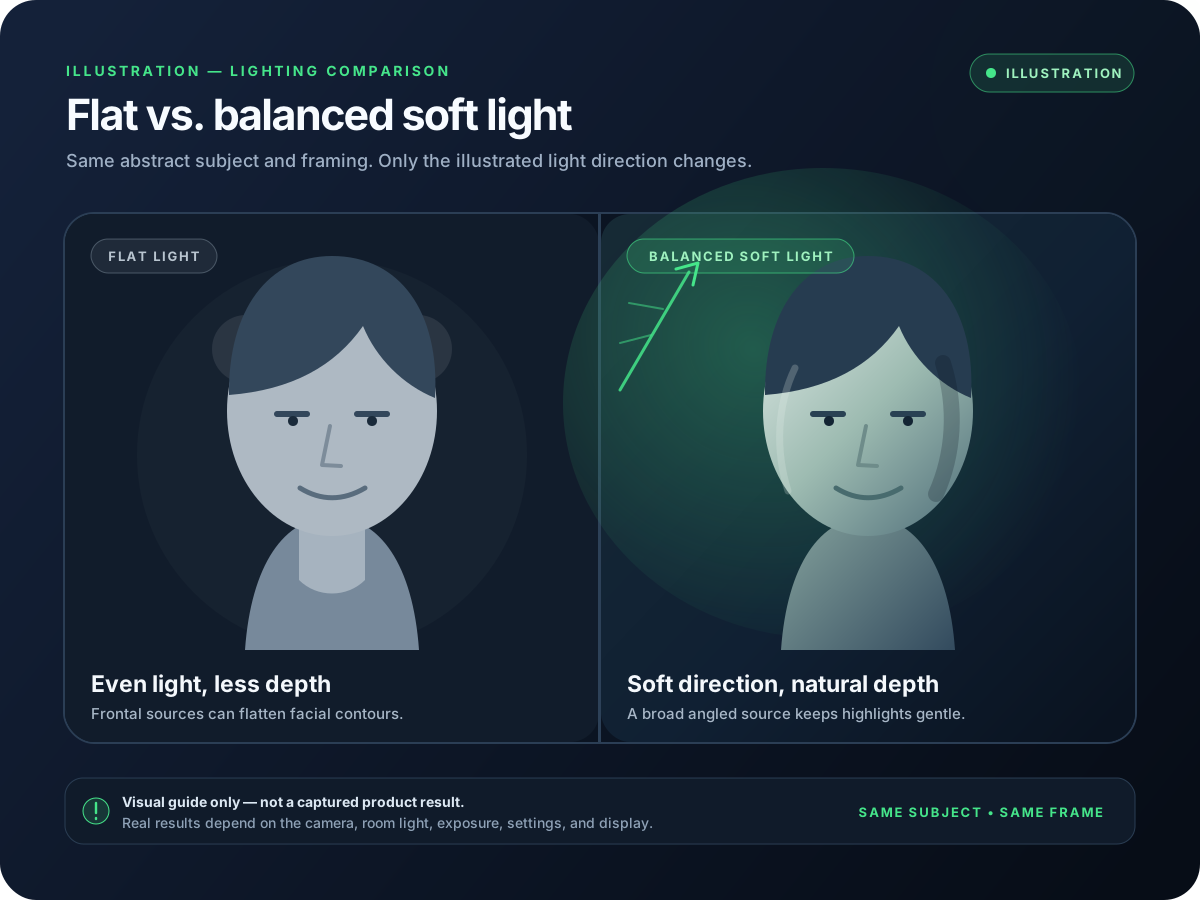
From dim bedrooms to bright boardrooms, CiCi Cam auto-calibrates white balance and exposure for clear, balanced skin tones.
AI Background Studio
Remove distractions, soften your room with blur, choose a built-in scene, or add your own image—while keeping subject edges natural.
4K Output & Broad Compatibility
Supports up to 4K@60fps streaming and works seamlessly with OBS, Zoom, DingTalk, Tencent Meeting, and more.
Signature workflows
Your stage, our mission
Playbooks for streamers, teams, educators, and studios keep every channel consistent.
Professional Streaming
Crisp visuals and steady frames keep every viewer engaged.
Enterprise Meetings
Look professional and confident while eliminating poor low-light video.
Online Teaching
High clarity helps students capture every detail and expression.
High-Quality Recording
Record watermark-free beautified videos ready for instant publishing.
Beauty Maestro: Everything you need
From gentle smoothing to pro makeup looks, achieve flawless selfies in real time with one tap.
Skin & lighting toolkit
- Gentle smoothing & whitening
- Smart foundation & concealer
- Adaptive soft lighting & filters
- Teeth whitening (Pro only)
Start free. Upgrade when you need more.
Starter Plan (Free)
SD/HD output with daily free usage limits for every effect.
Free forever. No card required.
- SD/HD video output
- All effects available daily within free limits
- Filters, beautify, and templates
CiCi Cam Pro
Unlimited filters, beautify, and templates.
Approx. $8.17/monthBilled $98 per year. Renews automatically.
- Includes all Starter Plan features
- Unlimited filter and beautify usage
- Filter and beautify templates
- No daily limits on effects
- Priority access to new filters and templates
Cancel anytime
Need a quick answer?
Questions creators ask most
Everything about compatibility, upgrades, and billing - no support ticket needed.
CiCi Cam runs on Windows 10/11 (Intel or AMD) and macOS 14+ on Apple Silicon only. It appears as a virtual camera so you can plug it into OBS, Zoom, Tencent Meeting, DingTalk, Teams, and essentially any app that accepts webcam sources.
The Starter plan keeps HD output, basic smoothing, and manual controls free forever - no card required. Pro unlocks unlimited 4K@60fps output, scene-adaptive lighting, makeup packs, virtual backgrounds, and priority creator support.
Yes. Open Profile -> Membership to upgrade or downgrade anytime. Stripe prorates the remaining balance automatically so you only pay the difference when moving plans.
Go to Profile -> Manage billing to turn off auto-renew. Your Pro benefits stay active until the current cycle ends, and you can restart with one click - no penalties or hidden fees.
Resources
Use CiCi Cam everywhere you take a call
Practical setup guides for the apps and workflows you already use.
For your apps
Compare alternatives
Available now
Download CiCi Cam
Choose the installer that matches your system. We highlight the best option automatically.
Windows
Download for Windows
Windows 10/11 · 64-bit
macOS
Download for macOS
macOS 14+ · Apple Silicon only
Trust through product design
Built for the people who work on camera
CiCi Cam supports creators and remote professionals with local video processing and a familiar virtual-camera workflow.
Used by creators and remote professionals
Made for streaming, meetings, online teaching, and everyday recording.
Video processing stays local
Beauty, lighting, and color effects run on your device.
Built by an independent team
A focused desktop software team builds and supports CiCi Cam.
Works seamlessly with